

Knowledge base
Release: Dec 8, 2022
Local
Manual Retry Option for Publishing Errors on Posts
Opportunity: Publishing posts regularly is important to improve visibility on search. While creating a publishing Google posts for multiple locations internal or external errors can occur and sometimes simply retrying can help solve the problem.
Solution: Milestone Local allows you to retry publishing Google posts when an internal or external error occurs.
Milestone Local > Posts Summary
Step 1: From Milestone Local click on ‘Post Summary’in the left navigation panel
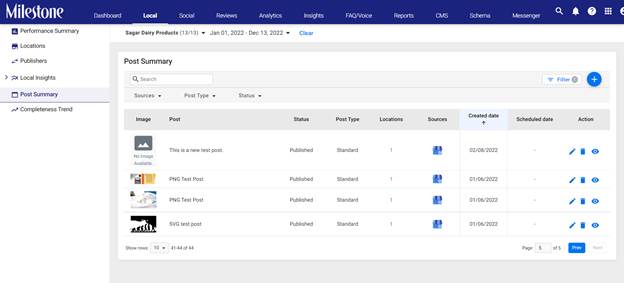
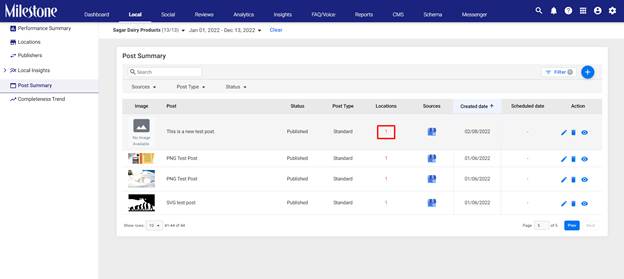
Step 2: Locations marked in red signify that an error has occurred during publishing. Click in the ‘Locations’ column to view the error
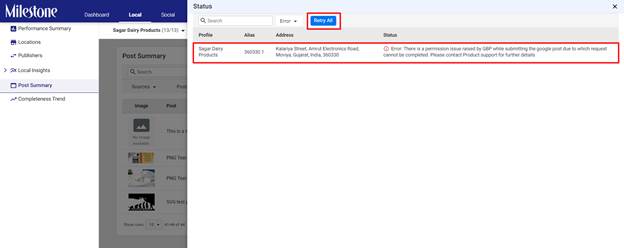
Step 3: The location, alias, address and error status will be displayed. Click on ‘Retry All’ to retry publishing
Insights
Content performance export
Opportunity: Offline analysis and distribution of traffic data to stakeholders helps create highly effective content.
Solution: Milestone Insights allows you to export youGSC traffic data to a spreadsheet, schedule reports, and distribute them, all in one place. Ensure your stakeholders are never in the dark about your online presence.
Milestone Insights > Content & Relevancy >Content Performance
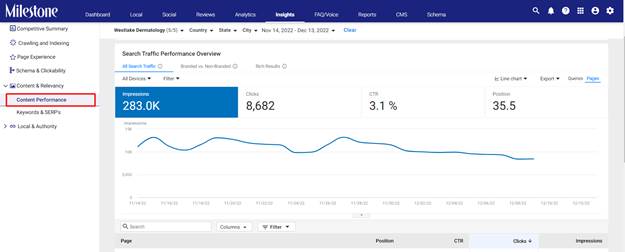
Step 1: From Milestone Insights click on Content& Relevancy in the left navigation panel
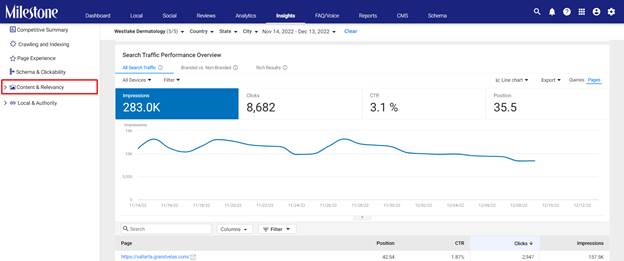
Step 2: In the expanded menu click on ‘ContentPerformance’
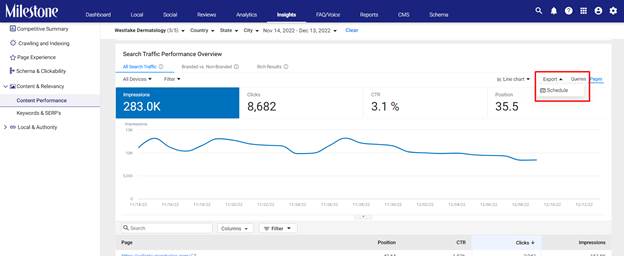
Step 3: Select the ‘Export’ option to the top right and click on ‘Schedule’
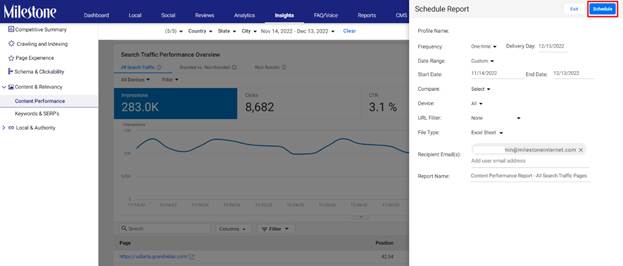
Step 4: Step up a schedule with the dates and recipients and click on ‘Schedule’
Was this article helpful?
That’s Great!
Thank you for your feedback
Sorry! We couldn't be helpful
Thank you for your feedback
Feedback sent
We appreciate your effort and will try to fix the article