

Knowledge base
Release: May 31, 2021
Local & Reviews
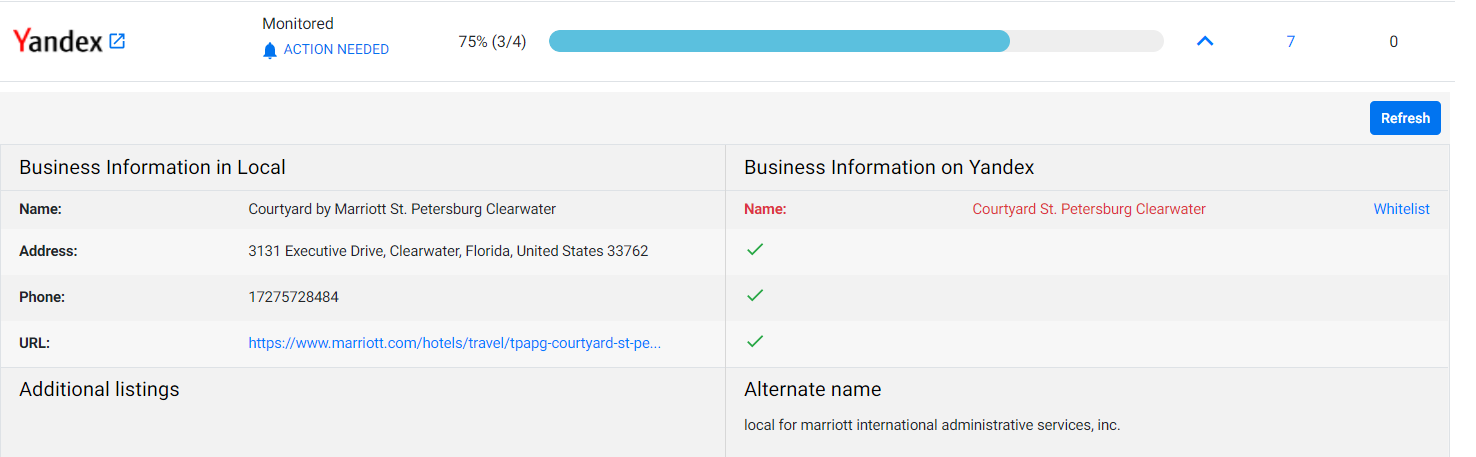
1. Yandex Partnership
We have now partnered with Yandex to monitor business listings and consistency of location data on the platform.
Schema Manager
1. Simplified tagging for rich result types – FAQ Page
Opportunity: Ease tagging workflow and improve the speed of tagging for rich result types
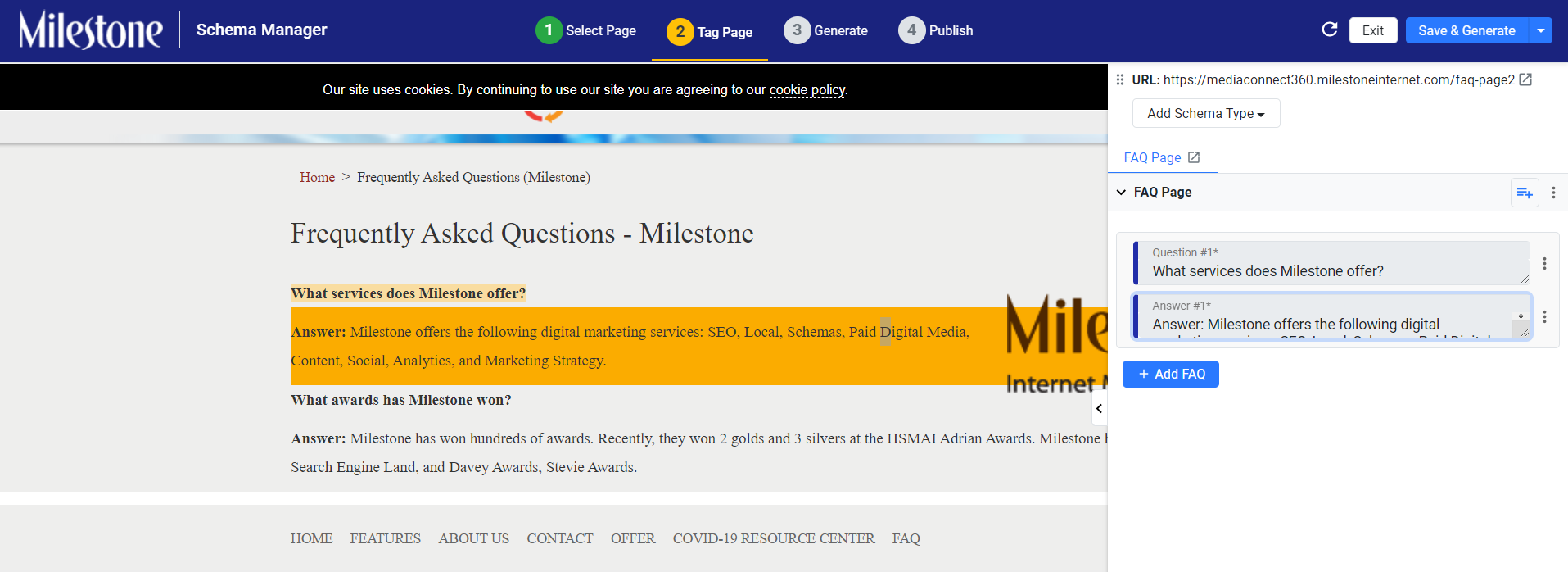
Solution: A simplified UI for FAQ Page Schema is now live. All you need to do is simply tag the Q&As as they appear on the page. This simplified approach reduces the time taken to tag any FAQ Schema and also improves the readability of tagged content in the editor. The UI is also backward compatible with any existing FAQ Schema which is currently tagged and live.
Now, all you need to do is to click on the Q&A on the webpage and tag it on the editor with no requirement of adding extra fields.
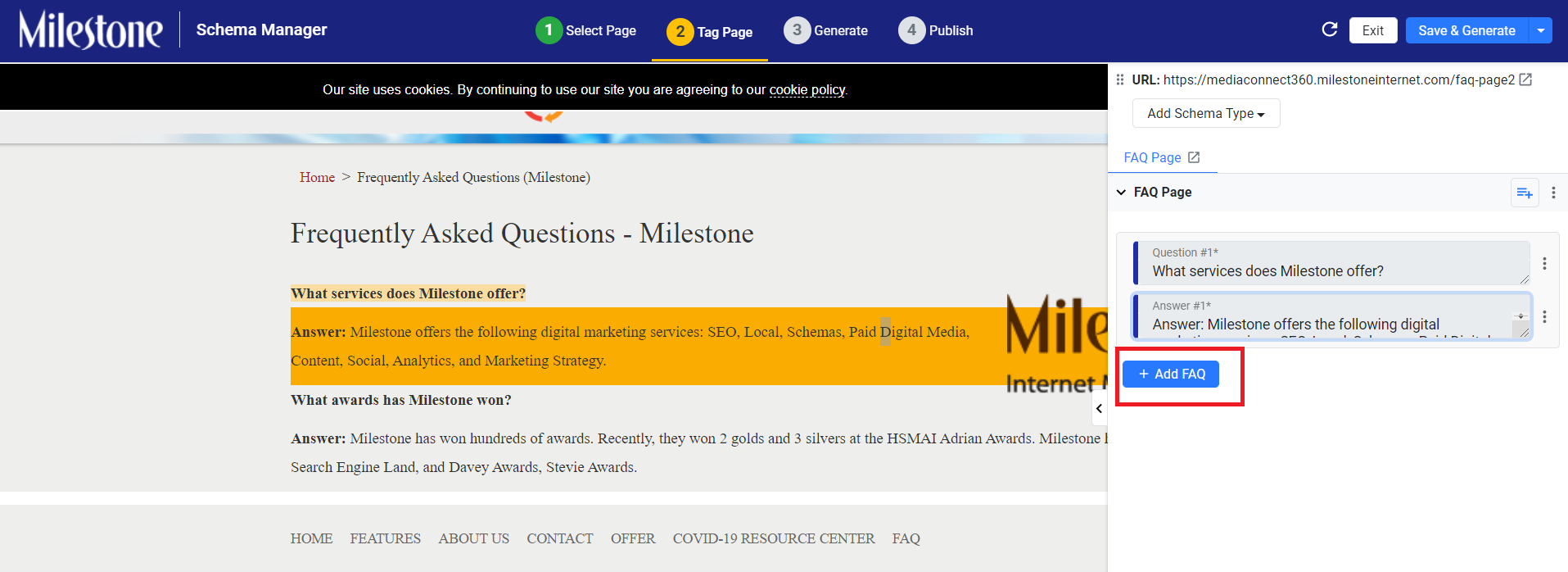
To add an FAQ, simply click on ‘Add FAQ’.
In case you need to add any additional property, simply click on Add Property and select the desired property to add (Main Entity of Page in this example)
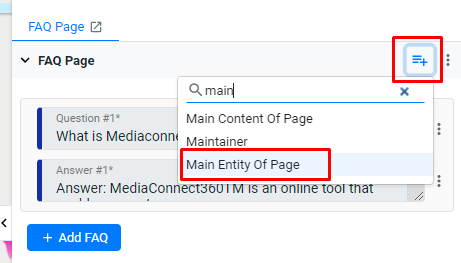
Once added, the
property appears at the beginning of the FAQ page schema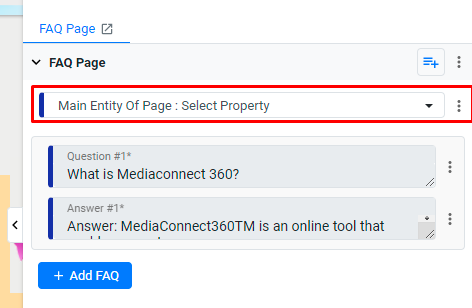
In case you need
to delete any existing Q&A group that you added, simply click on
the x button on the top right.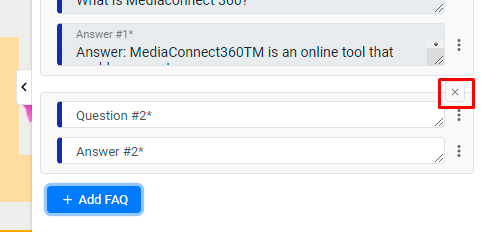
To generate the schema, click on Save & Generate.
Note: You cannot delete the first Q&A group since at least one Q&A group is required for the FAQ Page schema.
Was this article helpful?
That’s Great!
Thank you for your feedback
Sorry! We couldn't be helpful
Thank you for your feedback
Feedback sent
We appreciate your effort and will try to fix the article